Remini Mod APK

Remini Mod APK offers advanced photo enhancement tools that can sharpen images, improve details, and create clearer-looking results. Download Remini Mod APK to enhance blurry photos, sharpen details, and give old images a cleaner, more polished look.
Remini
Remini is designed for people who want to improve, restore, and enhance photos and videos with the help of AI-powered tools. Instead of relying on complicated editing software, users can use Remini to enhance image quality, restore older pictures, improve portraits, and make visual content look clearer. Its straightforward approach makes everyday photo enhancement easier for people who want better results without spending a lot of time editing manually.
The main focus of Remini is image and video enhancement rather than traditional photo editing. Users can improve blurry pictures, restore old photographs, enhance faces, and apply different AI-based effects from one place. This gives users a convenient way to improve their personal photos without needing advanced editing knowledge.
Another useful part of the app is that it brings several AI enhancement tools together in one place. Users can work with old pictures, portraits, low-quality images, and supported videos depending on the available features. For people who regularly take photos or have older images that need improvement, Remini can make the editing process much easier to manage.
What Is Remini Pro Mod APK?
Remini Mod APK is an AI-powered photo and video enhancement app that helps users improve the quality of visual content from one place. It can provide tools for enhancing details, restoring older photographs, improving portraits, and making supported images appear clearer. Remini Pro makes it easier to improve photos without requiring users to manually adjust every editing setting.
Users can also work with different types of images depending on the available tools and app version. Old family photographs, portraits, blurry pictures, and other low-quality images can be processed through suitable enhancement options. This can be useful for people who want to improve their pictures without using complicated desktop editing software.
Why People Search for Remini Pro APK
Improving a low-quality photo manually can require several editing steps and some knowledge of image-editing software. Remini APK gives users a simpler way to enhance images by bringing AI-based tools into one application. It can make it easier to improve portraits, restore older pictures, and work with images that lack clarity.
Remini APK Download New Version also makes photo enhancement more accessible through features designed for different types of visual content. Users can improve facial details, restore photographs, enhance image quality, and explore supported creative options. With these tools together, Remini offers a convenient way to manage common photo enhancement tasks from a mobile device.

Remini Pro Features
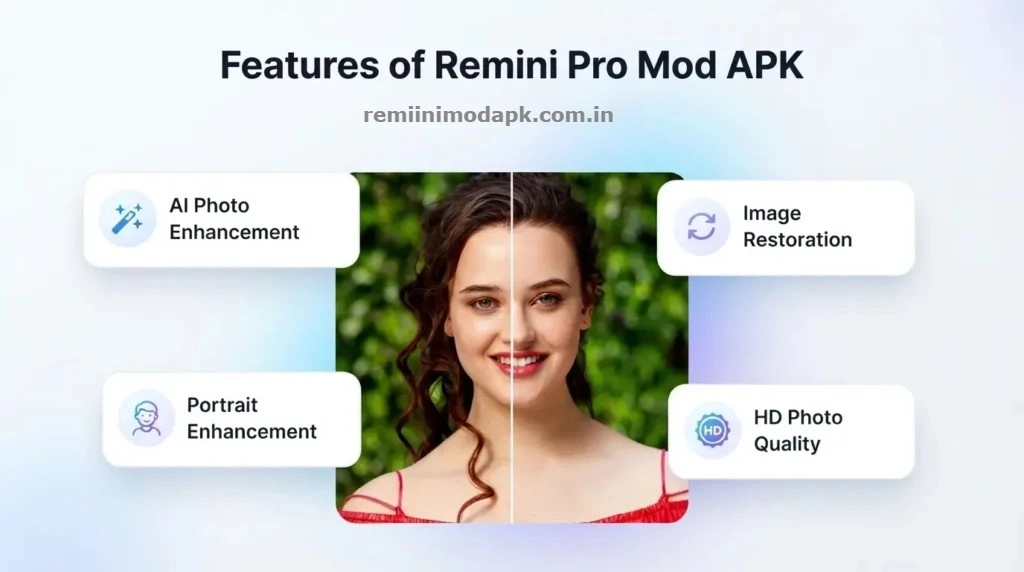
AI Photo Enhancement
Remini Mod uses AI-based processing to improve the appearance of supported photos. Users can select an image and apply enhancement tools designed to improve visible details and overall clarity. It is useful when a picture looks blurry, compressed, or less detailed than expected.
Image Restoration
Old photographs can lose quality because of age, damage, scanning, or repeated sharing. Remini provides restoration-focused tools that can help improve the appearance of supported older images. With Remini Pro APK, users can process old pictures and make them look clearer while preserving the important visual elements of the original photograph.
Face Enhancement
Portrait photographs often contain facial details that become difficult to see when the original image has low resolution. Remini Pro can enhance supported facial areas and improve visible details through AI processing. Using Remini APK Free Download, users can work on portraits where faces appear soft, unclear, or lacking in detail.
Photo Quality Improvement
Low-quality photographs may contain blur, compression artifacts, or limited detail. Remini Mod APK Download provides enhancement options that can improve the overall appearance of supported images. It can be useful when users want to make an existing photograph clearer without recreating the entire image manually.
Old Photo Enhancement
Older photographs can look faded, blurry, or less detailed compared with modern digital pictures. Rimini Pro can process supported old images and apply enhancement techniques to improve their appearance. With Remini, users can give older photographs a clearer look and make them easier to view or preserve digitally.
Video Enhancement
Videos can also suffer from limited resolution or unclear details. Remini APK Mod includes AI-based video enhancement capabilities for supported content, allowing users to improve the visual quality of certain videos. The available processing options can depend on the app version, device, and type of video being used.
Portrait Enhancement
Portraits require attention to facial details, lighting, and overall image clarity. Remini App offers tools designed to improve supported portrait photographs through AI processing. Users can enhance suitable portraits and make important facial and image details more visible without performing every adjustment manually.
Background Improvement
The quality of a photograph depends on more than just the subject in the foreground. Remini App Download APK can apply AI-based processing to supported images that may improve the overall visual appearance, including surrounding image details. This gives users another way to create cleaner-looking photographs from existing pictures.
AI Filters and Effects
Creative effects can give photographs a different appearance without requiring advanced editing skills. Remini Pro APK Old Version provides AI-powered creative options and effects that users can explore on supported images. These tools allow people to experiment with different visual styles while keeping the editing process relatively simple.
Image Color Improvement
Colors can appear dull or inconsistent when a photograph is old, poorly captured, or heavily compressed. Remini Pro Mod APK can improve the overall appearance of supported images through its enhancement processing. Depending on the image and available tools, users may obtain a more visually balanced result without manually adjusting every color setting.
Facial Detail Enhancement
Facial details can become difficult to recognize when photographs are blurry or have limited resolution. Remini APK Download uses AI processing to improve supported facial areas and make available details more noticeable. This feature can be particularly useful for portraits and older photographs where faces are not clearly visible.
AI Avatar and Creative Tools
Rimini Pro APK Download may provide creative AI-based tools that allow users to transform supported photographs into different visual styles or generated variations. These options can give users additional ways to experiment with their pictures. Availability can vary according to the app version, account, region, and current feature set.
Sharpening and Clarity
Sharpness plays an important role in how clear a photograph appears. Remini can process supported images to improve visible clarity and detail. With Remini Pro Latest Version, users can work with photographs that appear soft or blurry and apply enhancement processing designed to produce a clearer result.
Photo Editing Convenience
Traditional photo editing can involve multiple adjustments and separate applications. Remini Pro APK Download combines AI enhancement tools into a mobile-focused experience, making it easier to work on supported photographs from one place. Users can select an image, choose a suitable enhancement option, and process it without dealing with numerous manual controls.
Personalized Enhancement
Different photographs require different types of processing, so a single editing method may not work equally well for every image. Remini Premium provides multiple enhancement and creative options that users can choose according to their needs. By combining photo restoration, portrait enhancement, quality improvement, and creative tools, the app provides a more flexible way to improve personal images.
How to Download Remini Mod
Downloading the app is simple if you use a trusted source. First, check your device and make sure it has enough free storage for the application and its processing requirements. Then, use an official or trusted source to obtain the app. Before starting, check the available version and device requirements. Next, download the application and wait for the process to finish. After that, open the downloaded file if you are using a supported installation method and follow the on-screen instructions. If your device blocks an installation from an external source, review the relevant Android security settings carefully. Finally, open Rimini Pro Mod APK and complete the basic setup.
Installation Guide
- First, open the downloaded Remini Pro file on your device.
- Next, tap the Install button to begin the installation process.
- If your phone asks for permission, allow the required installation access.
- Then, wait a few moments while the application installs on your device.
- After the installation finishes, tap Open to launch the app.
- Finally, complete the basic setup and start enhancing your photos.
How to Use Remini Pro
Using the app is relatively simple, even if you are opening it for the first time. Remini Premium APK provides a straightforward way to enhance photos without requiring complicated editing knowledge. First, open the app and explore the available enhancement options. Then, select a photograph from your device and choose the tool that matches your needs. After selecting an option, review the available settings before starting the enhancement. Remini also makes it easy to return to other tools and process additional images. Therefore, you can quickly improve different types of photographs according to your requirements.
Open Remini Pro and Select a Photo
First, open the app on your device and wait for the main screen to load. You can then select a photograph from your gallery that you want to improve. Remini Pro Download allows you to choose an image directly, which saves time when you already know which picture needs enhancement. If you are unsure which tool to use, explore the available options before selecting your photograph.
- Open the app on your device.
- Tap the option for selecting or enhancing a photo.
- Choose an image from your device gallery.
- Check the available enhancement options.
Select Your Preferred Enhancement Tool
After selecting your photograph, review the available tools and choose the one that matches your image. Remini Download APK may provide different enhancement options depending on the current version and type of content. Check the available choices and select an appropriate tool for portraits, old photos, blurry images, or other supported content.
- Select your preferred enhancement option.
- Review the available information about the tool.
- Choose the option that matches your photograph.
- Continue when you are ready to process the image.
Apply the Enhancement
Once you select an enhancement tool, start the processing and wait while the application analyzes your photograph. Remini Pro Max uses AI-based processing to improve supported visual details. Processing time can vary depending on the image, selected feature, device, and available service requirements. Review the result after the enhancement is completed.
Save the Enhanced Photo and Explore More Tools
Finally, review the enhanced image and save it if you are satisfied with the result. Remini Pro also allows users to return to other available tools and work on additional photographs. You can enhance another image, try a different feature, or explore creative options. Therefore, you can continue improving your photos without restarting the entire process from the beginning.
How to Enhance Old Photos on Remini APK
Old photographs can lose clarity because of aging, scratches, fading, low-quality scanning, or repeated sharing. AI enhancement tools can help improve these images by sharpening visible details and making faces or other important areas easier to see. Remini APK Pro can be useful for restoring older photographs when you want to improve their overall appearance without manually editing every part of the image. The process is simple: upload the old picture, select an appropriate enhancement option, review the result, and save the improved version.
Upload an Old Photo to Remini
Start by opening Remini and selecting the photo enhancement feature. Choose the old photograph from your device’s gallery and wait for it to upload. For better results, use the highest-quality copy available, especially if the original photograph has been scanned or digitally transferred.
- Open the photo enhancement section.
- Select the old photograph.
- Use the clearest available copy.
- Wait for the image to finish uploading.
Select an Appropriate Enhancement Tool
After uploading the image, choose an AI enhancement option designed for improving photo quality. Remini Mod App may provide tools that can enhance facial details, sharpness, and other visible elements. Choose the option that matches the condition of your photograph rather than applying several effects unnecessarily.
For example:
- Photo Enhancement: Improve general clarity and detail.
- Portrait Enhancement: Focus on faces and facial features.
- Restoration: Improve the appearance of supported older images.
- Sharpening: Make softer details appear clearer.
Review the Enhanced Result
Once processing is complete, Remini Pro generates an enhanced version of the old photograph. Carefully compare it with the original to check whether important details have improved naturally. Pay particular attention to faces, hair, clothing, and background areas. If the image contains severe damage or very little original detail, some parts may not be reconstructed accurately.
Preview and Save the Improved Photo
Before saving, preview the final result and compare it with the original image. Check whether the enhanced version preserves the important characteristics of the photograph. If the result looks suitable, save or export the improved image using the available option. It is also a good idea to keep the original photograph separately so you can compare both versions or try another enhancement later.
Pros & Cons
Pros
- Remini Pro offers a simple interface for AI-based photo enhancement.
- It provides tools for improving supported low-quality photographs.
- Users can enhance portraits and improve visible facial details.
- The app can help restore the appearance of older photographs.
- Remini Pro provides convenient mobile-based image enhancement.
- It can process supported images without requiring advanced editing knowledge.
- Users can explore different AI-powered enhancement options in one place.
- Remini Pro can be useful for improving personal photographs.
- The application provides several tools for different image-enhancement needs.
- Users can quickly experiment with available creative and enhancement features.
Cons
- Some features may require a paid subscription or credits.
- Enhancement results can vary depending on the original image quality.
- Processing requirements may depend on the selected feature and service availability.
- Third-party versions of the application may create security and privacy concerns.
- Some AI-generated or enhanced results may not perfectly preserve the original image details.

Remini Pro Alternatives
Adobe Photoshop
Adobe Photoshop is a professional image-editing application with extensive tools for photo manipulation, retouching, compositing, and enhancement. It gives users detailed control over individual image elements and supports advanced editing workflows. It is suitable for photographers, designers, and users who want precise control over their projects.
Snapseed
Snapseed is a mobile photo-editing application with tools for adjusting images, correcting colors, applying filters, and making detailed edits. Its interface is designed for users who prefer hands-on control over their photographs. The app also includes selective adjustments and various creative editing options.
Picsart
Picsart combines photo editing with creative effects, filters, templates, stickers, and graphic-design tools. Users can enhance photographs, create social media graphics, and experiment with different visual styles from one application. Its wide selection of creative tools makes it suitable for both basic edits and more experimental projects.
Fotor
Fotor offers traditional photo-editing features alongside AI-powered tools for enhancing and transforming images. Users can make adjustments to photographs, apply creative effects, and work with various design features. It can be useful for people who want a mixture of automated enhancement and conventional editing options.
Lightroom
Adobe Lightroom is built around photography, image organization, color correction, and detailed editing. It provides controls for exposure, highlights, shadows, contrast, color, tone, and other photographic elements. The application is particularly useful for photographers who want greater control over the appearance and consistency of their images.
| Feature | Remini Pro | Adobe Photoshop | Snapseed | Picsart | Fotor | Lightroom |
| AI Photo Enhancement | ✅ | ✅ | ❌ | ✅ | ✅ | ✅ |
| Old Photo Restoration | ✅ | ✅ | ❌ | ✅ | ✅ | ❌ |
| Face Enhancement | ✅ | ✅ | ❌ | ✅ | ✅ | ✅ |
| Video Enhancement | ✅ | ✅ | ❌ | ✅ | ❌ | ✅ |
| Manual Photo Editing | ✅ | ✅ | ✅ | ✅ | ✅ | ✅ |
| AI Creative Effects | ✅ | ✅ | ❌ | ✅ | ✅ | ✅ |
| Filters & Presets | ✅ | ✅ | ✅ | ✅ | ✅ | ✅ |
| Mobile Availability | ✅ | ✅ | ✅ | ✅ | ✅ | ✅ |
| Professional Editing Tools | ❌ | ✅ | ❌ | ✅ | ✅ | ✅ |
Conclusion
Remini Pro App is built around AI-powered photo enhancement, image restoration, portrait improvement, and creative editing. Instead of requiring users to perform every adjustment manually, it provides automated tools designed to improve supported photographs and videos from a mobile device.
With features such as AI enhancement, old photo restoration, facial detail improvement, portrait processing, video enhancement, creative effects, and sharpening, Remini Pro can be useful for people who regularly work with photographs. Its main purpose is to make visual enhancement simpler and more accessible for everyday users.